Through RESTful HTTP calls, it exposes all the settings normally managed by the D-BOX Motion Engine.
This opens the door to two broad categories of integration:
- Software integrations: Training Software, Venue Management Software, etc.
- Hardware device integrations: Physical controllers such as button boxes, Stream Decks, Keyboards, etc.
IMPORTANT:
-
Local use of the HaptiSync API requires HaptiSync Center 1.3.0 or later.
-
Remote LAN access and API authentication require HaptiSync Center 1.3.3 or later. When using remote access, all secured endpoints require authentication via an API key passed in the X-API-Key HTTP request header.
Local vs. Remote Access
The HaptiSync API supports two access modes: local and remote.
| Local | Remote | |
| Port | 42010 | 42011 |
| Protocol | HTTP | HTTPS |
| Address | localhost only | All network interfaces (LAN) |
| Authentification | Not required | Required: X-API-Key: <key> |
| Swagger UI | http://localhost:42010/index.html | https:// <IPAddress>:42011 |
When accessing the remote version of the interface, it is normal for the browser to display a warning such as "Your connection isn't private". This message appears because the certificate in use is self-signed and not issued by a certificate authority recognized by the browser. This behavior is expected and does not indicate that the connection is compromised. This warning does not apply to the local version. To proceed:
-
Click "Advanced"
-
Click the "Proceed to [IP address] (unsafe)" link that appears
API Key Management
API keys are managed exclusively from the local admin interface. Remote clients cannot create or revoke keys. For full details on key management, refer to the Swagger documentation (http://localhost:42010/index.html).
Key Capabilities
- Game Haptic Code Management: A Game Haptic Code is D-BOX's haptic asset tied to a specific game (e.g. Assetto Corsa). The API lets you list all haptic codes installed on the PC, target whichever game haptic code is currently running, and adjust its two global parameters: Main Level (%) and Motion/Vibration balance (%).
- Per-Game Profile Control: Each Game Haptic Code supports multiple profiles (e.g. Default, Intense, etc.). The API lets you list them, select one, cycle through them in sequence, and fine-tune individual profile settings such as acceleration, banking, suspension, engine vibration and impacts.
- Haptic System Hardware Control: Connected D-BOX haptic systems can be listed and individually adjusted. Controllable settings include movement intensity level, vibration intensity level, mute/unmute, and linked sliders (movement and vibration locked together).
- Experience Mode Switching: Four HaptiSync Modes are available: D-BOX Coded Gaming, D-BOX Coded Video, Adaptive Gaming, and Adaptive Audio. The API lets you read the active mode and switch between them.
- Global Haptics Toggle: A single endpoint to enable or disable all haptics across every connected D-BOX haptic system at once. Useful for quick on/off control without touching individual device settings.
- Health & Connectivity Checks: Two lightweight endpoints let integrators verify that the API is running (ping) and that it can successfully reach the D-BOX Motion Engine Service.
Use Cases
The following are some examples of how the API can be used:
- Venue Management Software: Management software can control haptic settings directly from within their own software, applying the right configuration at the start of each session and resetting it at the end, without staff ever opening the D-BOX application.
- Training & Simulation Software: Training platforms can control haptic behavior directly from within their own software, adjusting intensity and switching profiles without any manual interaction with the D-BOX application.
- Stream Deck / Button Box Integration: Operators or end-users can map physical buttons to API calls to cycle profiles, adjust movement or vibration intensity, or mute the seat instantly during a session.
NOTES:
-
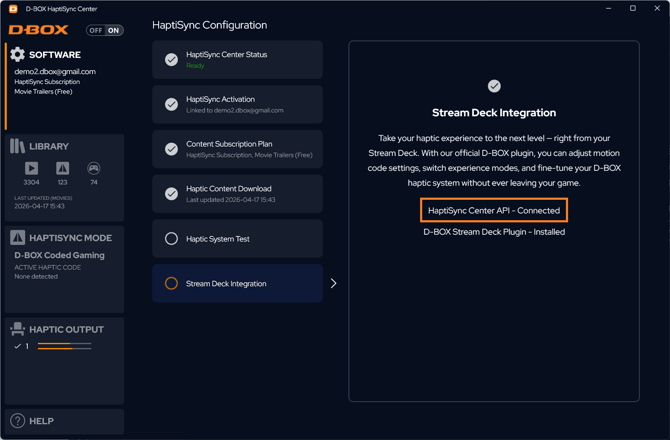
The connection status of the HaptiSync API can be verified at any time via the Stream Deck Integration tile in HaptiSync Center.